What I Shipped in mnemonic Since Launch: A Widget, Honest Time Tracking, and Codex Support
Two months ago I launched mnemonic — a background daemon that watches your project and builds persistent memory for AI coding agents automatically. No "save this to memory" button. It just watches your git commits, file changes, and agent conversations, and feeds the context back on the next session.
At launch it was invisible by design — a Rust binary humming in the background. That was the point, but it was also a problem: I had no good way to see what it actually knew, or what I'd actually been working on. So the last two months went into giving it a face — and making sure that face never lies to me. Here's what shipped.
1. The widget grew up: a 4-page menu-bar deck
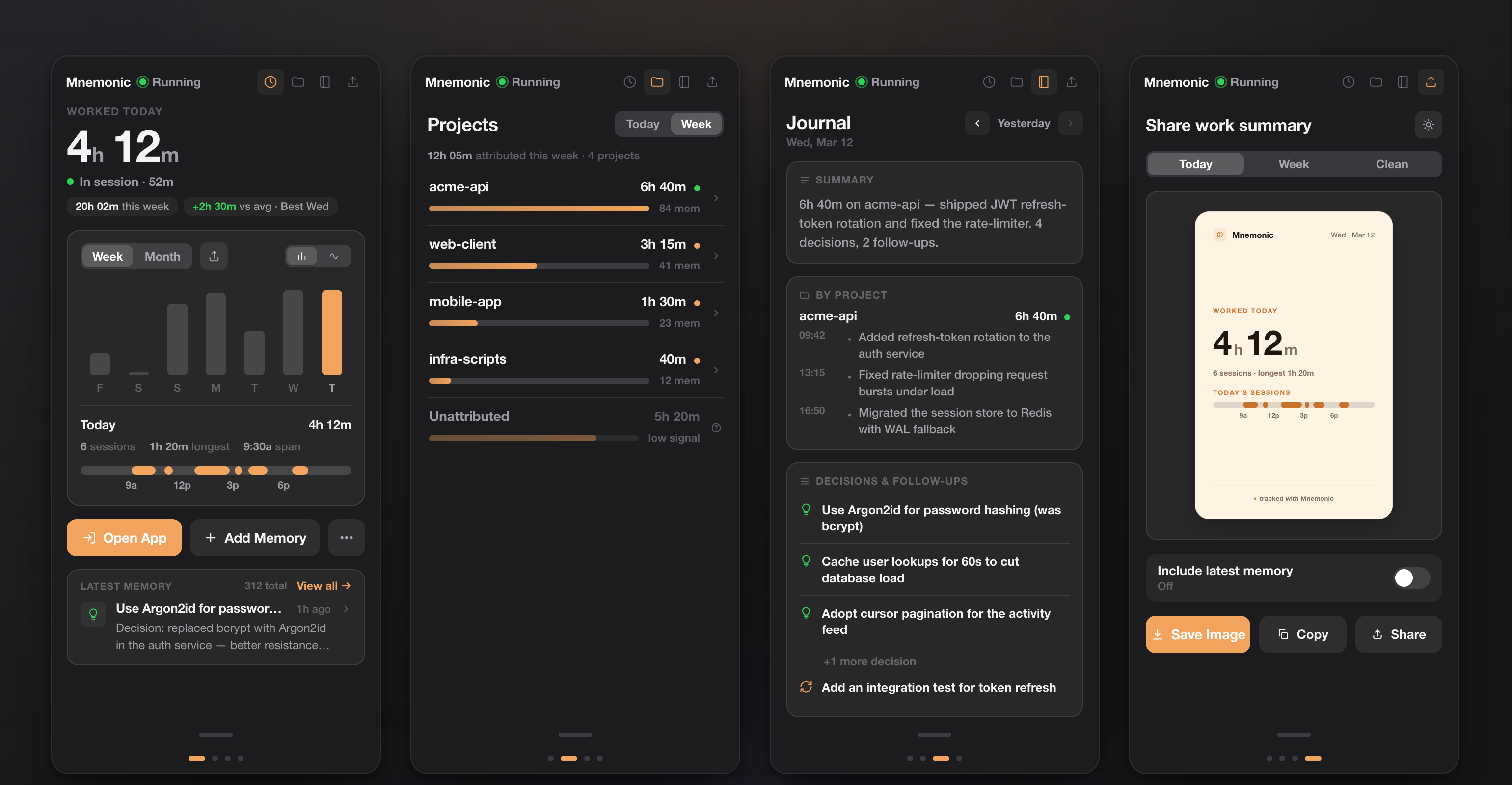
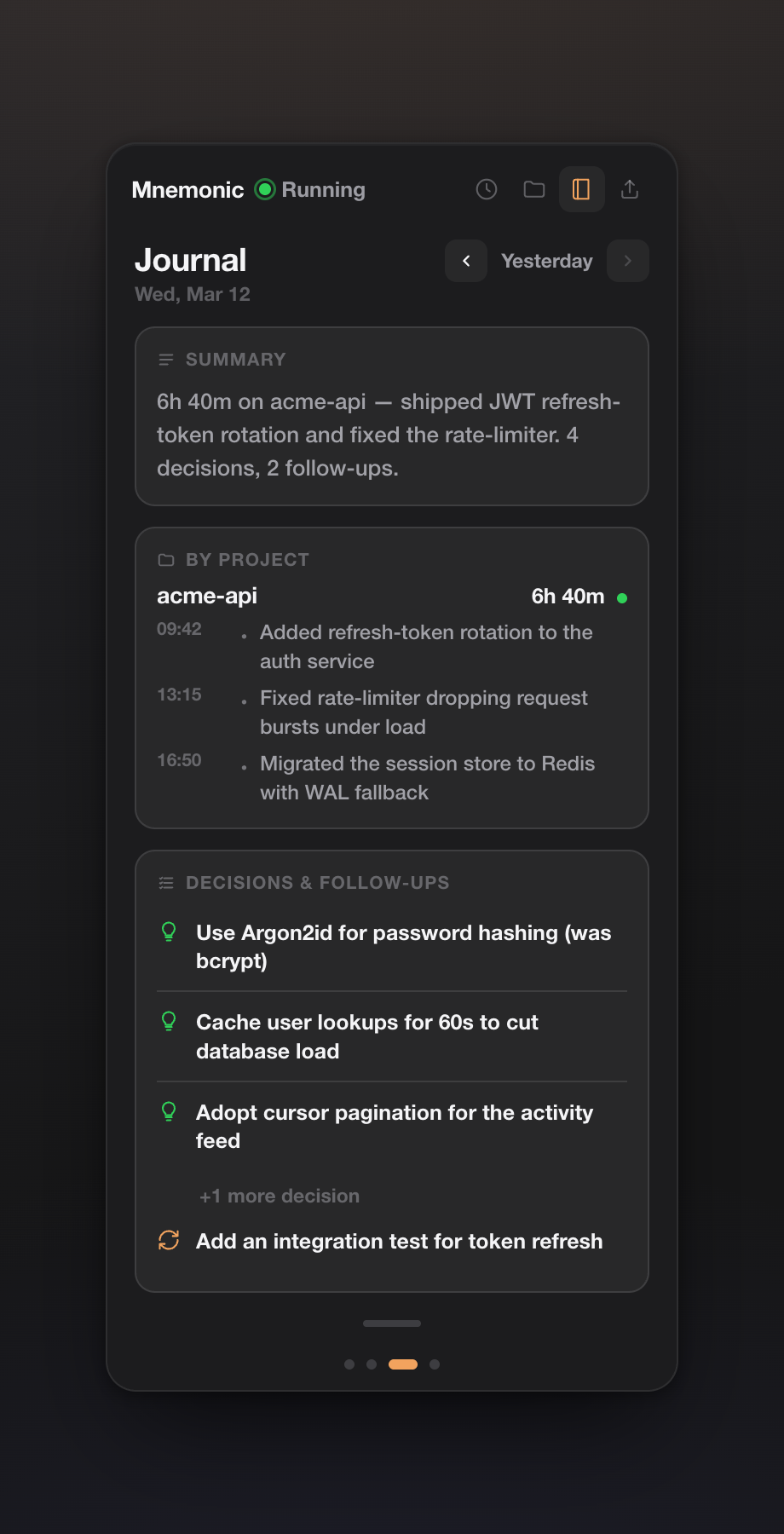
The original widget was a single panel with live stats and a search box. It's now a swipeable four-page deck that lives in your macOS menu bar — Work, Projects, Journal, and Share. Most days I never touch the CLI anymore; I just glance up.
The Work page is the one I keep open: worked time today, a this-week chart, and a session timeline reconstructed from real activity — not a manual timer I'd forget to start.
2. Honest per-project time tracking
This is the feature I'm proudest of, because it was the easiest one to fake and the hardest one to do honestly.
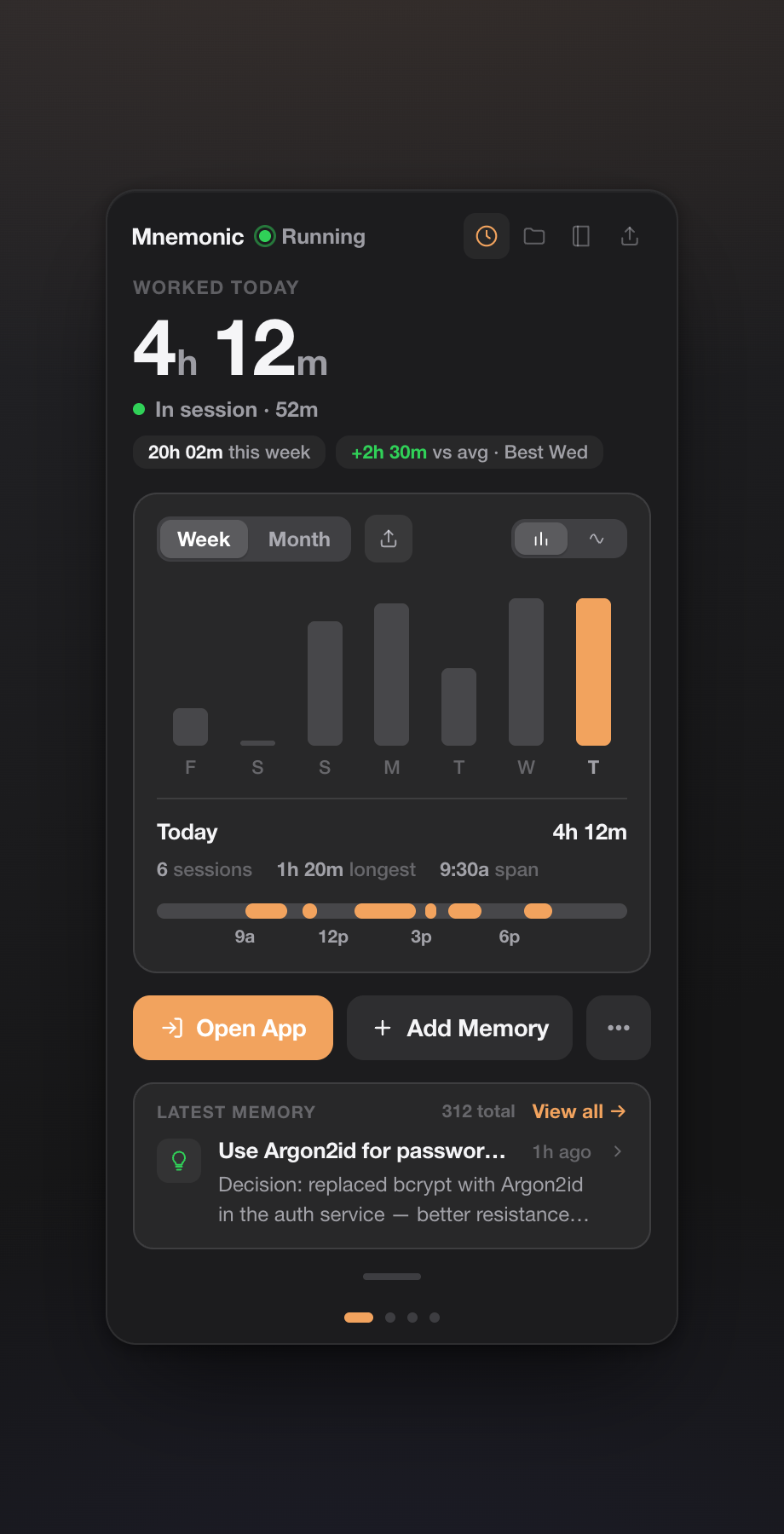
The Projects page shows real hours per project. The model is deliberately simple: an activity session is time you were actually at the machine; a memory tells mnemonic which project that activity was on. When a project-linked memory (a commit, a note, a decision) falls inside a work-session window, that time is attributed to the project. Everything else lands in an explicit Unattributed bucket with a low-signal marker.
I refused to let it round the Unattributed bucket away into the nearest project just to make the numbers look tidy. If mnemonic doesn't know what you were doing at 2pm, it says so. A dashboard that quietly inflates your "productive hours" is worse than no dashboard — you stop trusting it the first time it's obviously wrong.
Getting attribution right took real work. The daemon now recognizes projects from the knowledge graph instead of a hardcoded list, maps aliases to their canonical project (a note that mentions a tool or a sub-task still lands on the right project), and pins conventional-commit memories to their scope — so a fix(api): … commit counts toward api and doesn't leak into three other projects it happened to mention in the body.
3. A daily journal you can actually read
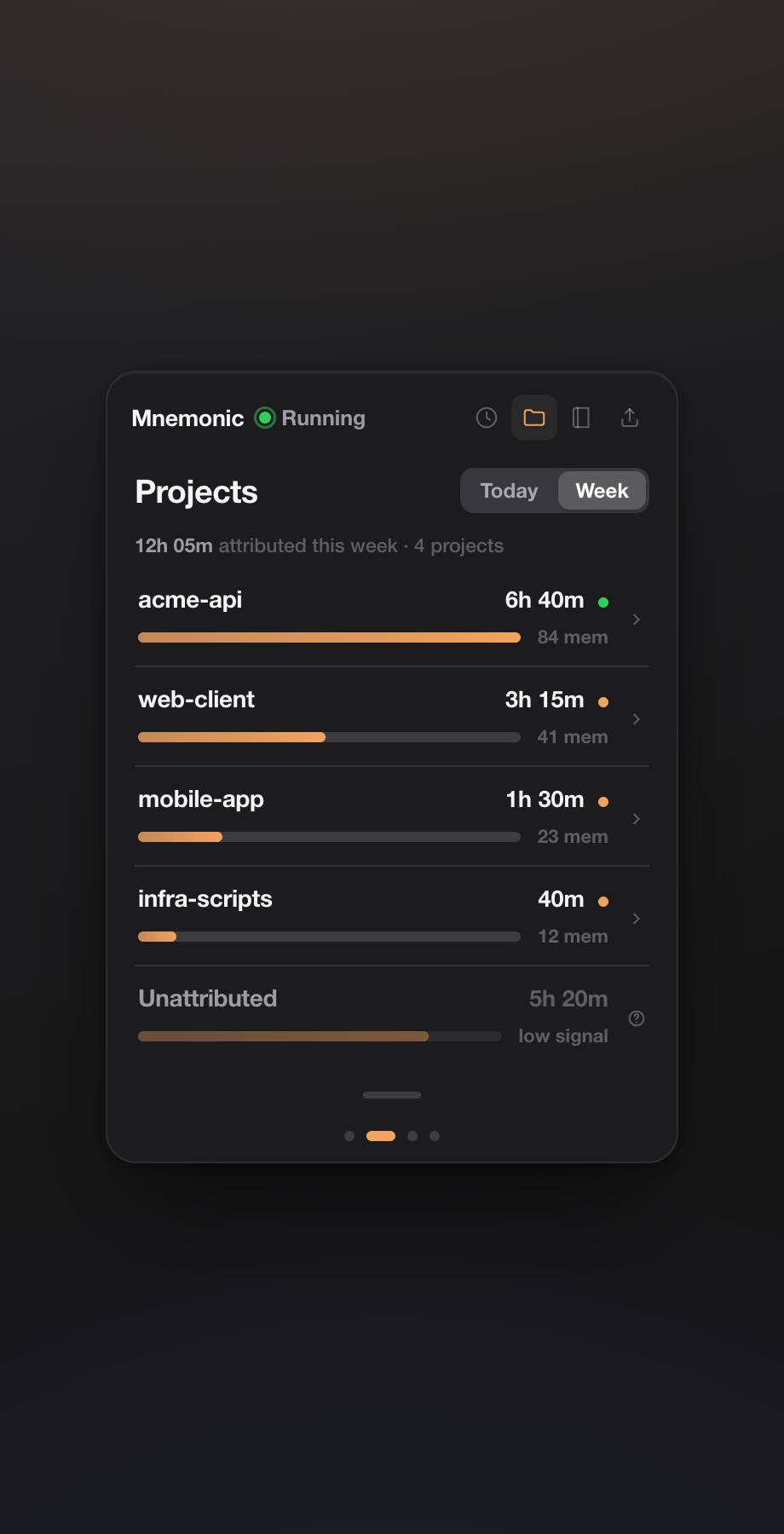
Early on, the "journal" was basically a git log with extra steps — technically complete, completely unreadable. The Journal page is now a real daily digest: a one-line recap of the day, what you did per project with timestamps, and the day's decisions and follow-ups pulled from your highest-signal memories. Arrow back through previous days.
This is the page that turned mnemonic from "a thing my agent reads" into "a thing I read." At the end of a long day I can see what I actually decided, instead of trying to reconstruct it from memory.
4. Honest by design: a security audit and a straight README
mnemonic indexes your conversation transcripts and git activity. If you're going to install something like that from GitHub, you deserve a straight answer about what you're taking on. So I ran a four-part audit of the codebase — network, data-flow, injection, supply-chain — and wrote the results into the README instead of hiding them.
The straight version:
- By default, your data does not leave your machine. No telemetry, no analytics, no version-check phone-home, no cloud LLM. Embeddings and reranking run locally via ONNX. The one feature that can push memories out — Memory API sync — is opt-in and off by default.
- One honest disclosure: on first run it downloads the embedding model from HuggingFace. Those are model weights coming in — no conversation, code, or memory goes out. After that it runs fully offline.
- The widget's network surface is hardened: the local API binds to
127.0.0.1only (no0.0.0.0path exists), every request needs a CSPRNG token compared in constant time, and there's a DNS-rebinding defence so a malicious web page can't reach the daemon. - No
build.rs, nosudo, no writes outside$HOME, and all SQL is parameterized.
The same honesty rule applies to the feature list. mnemonic captures git, file, and correction activity regardless of which agent you use — but live watching of a second agent's transcripts isn't built yet, so it's in the roadmap section, not dressed up as a feature.
5. One memory across two agents: Claude Code + Codex
The automatic capture is agent-agnostic — it watches the filesystem and git, so work done with Claude Code, Codex, Cursor, or a plain editor is captured the same way. And because mnemonic ships an MCP server, any MCP-capable agent can read and write the same local memory store. Registering it with Codex is four lines in ~/.codex/config.toml:
[mcp_servers.mnemonic]
command = "mnemonic"
args = ["mcp"]
env = { RUST_LOG = "error" }
Now Claude Code and Codex search and save against one shared memory. A decision I make in one is context the other already has.
6. Retrieval you can measure, not vibe-check
Memory is only useful if the right thing actually surfaces. mnemonic now ships mnemonic eval, which runs a set of queries through the retriever and reports recall@5 / recall@20 / MRR. That turned tuning from guesswork into measurement: the harness itself surfaced that an equal-weight graph-hop retriever was dragging recall@5 from 1.000 to 0.917 on short queries. Lowering the graph weight moved MRR from 0.79 to 0.89. I would never have caught that by eye.
Under the hood there's also a pending-extraction retry queue (a failed LLM extraction lands in a table with a backoff schedule instead of vanishing), near-duplicate consolidation, and an HNSW vector index that keeps search fast as the store grows past tens of thousands of memories.
Where it stands
mnemonic started as an answer to one annoyance: my coding agent forgetting everything between sessions. Two months in, it's become something I check on purpose — a quiet daemon that remembers for my agents, and a widget that shows me what I did with my day without making the numbers up.
It's a single Rust binary, local-first, MIT-licensed, no external databases and no API keys for the local path. If any of this is a problem you have too, it's on GitHub:
Want a system like this for your business?
I build custom AI agent systems, deployed in about two weeks. Every project is scoped after a short discovery call.
Book a Discovery Call